Backbone
A filing system for financial advisors that reads and labels every client document, so LPL's AI assistant can answer questions from the right files instead of an advisor digging through several dashboards. 1st place at the LPL Financial hackathon.
| When | Oct 2026 |
|---|---|
| Role | Team lead on a team of 5, as one of its two sophomores |
| Stack | TypeScript, React, Python, Amazon Web Services (Textract, SageMaker), PostgreSQL |
| Highlights |
|
| Links |
How I ended up leading it
Team captains were picked before the event, and I was one of two sophomores on a team of five. I designed how the pieces of the system would fit together, planned how the AI would find the right documents before answering a question, and walked the team through it. The team then made me lead for the build. I split up the work based on what each person was best at. I also suggested Amazon’s Textract service for reading the documents, and we used it.
Why it exists
During the hackathon we interviewed a financial advisor at Golden One who uses LPL. When a client asks him a question, he has to search several different dashboards for that client’s documents and then work out the answer himself. Someone from LPL told us the same thing: client documents are scattered everywhere.
LPL is building Cyan, an AI assistant inside the software its advisors use. An assistant can only answer from information it can find. The challenge was “build a product LPL Financial would acquire,” and we pitched Backbone as the filing system underneath Cyan. Our line was: “Cyan is the brain. We’re the filing system that makes it accurate.”
What it does
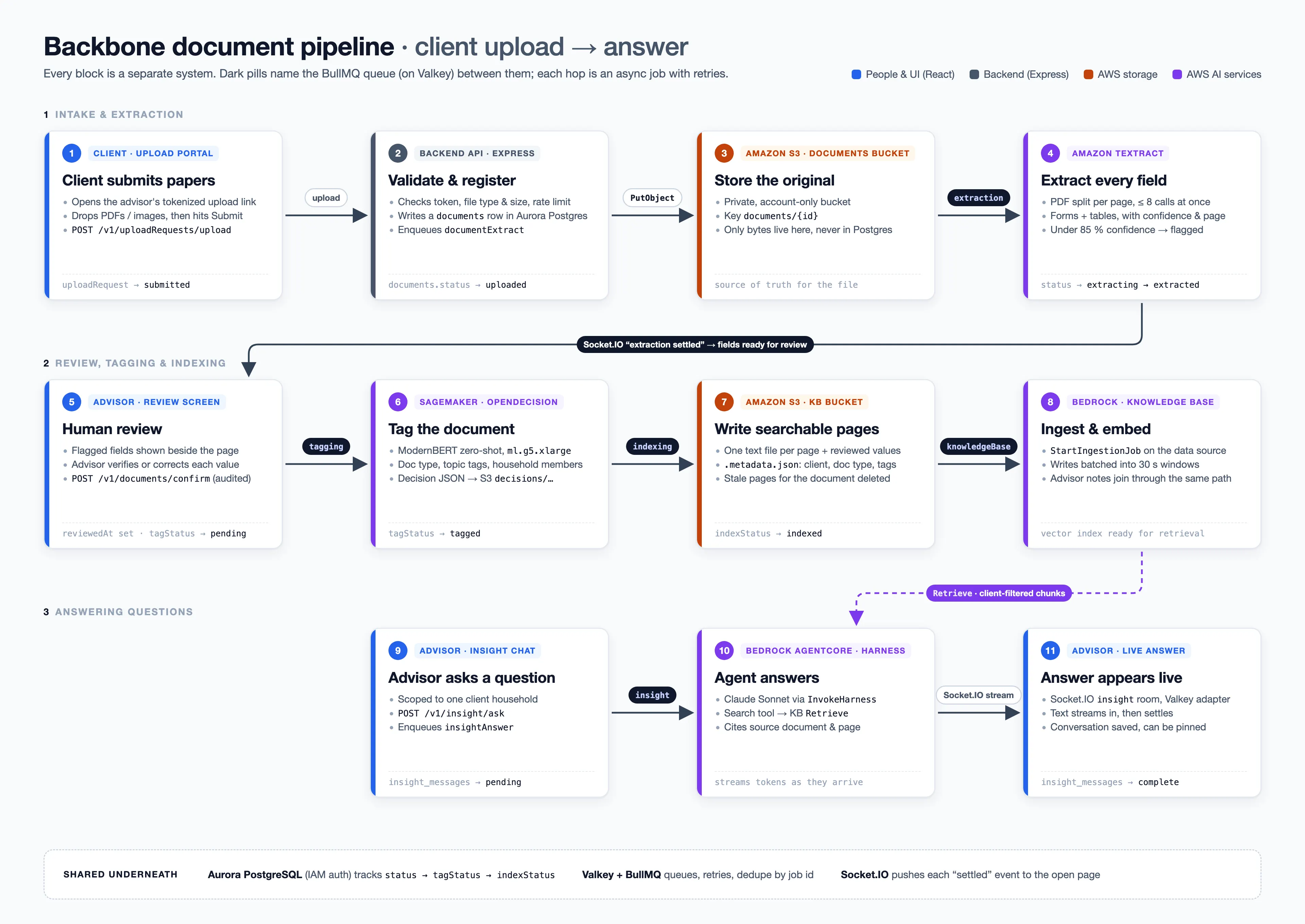
- The advisor uploads a client’s documents, or sends the client a one-time link to upload them.
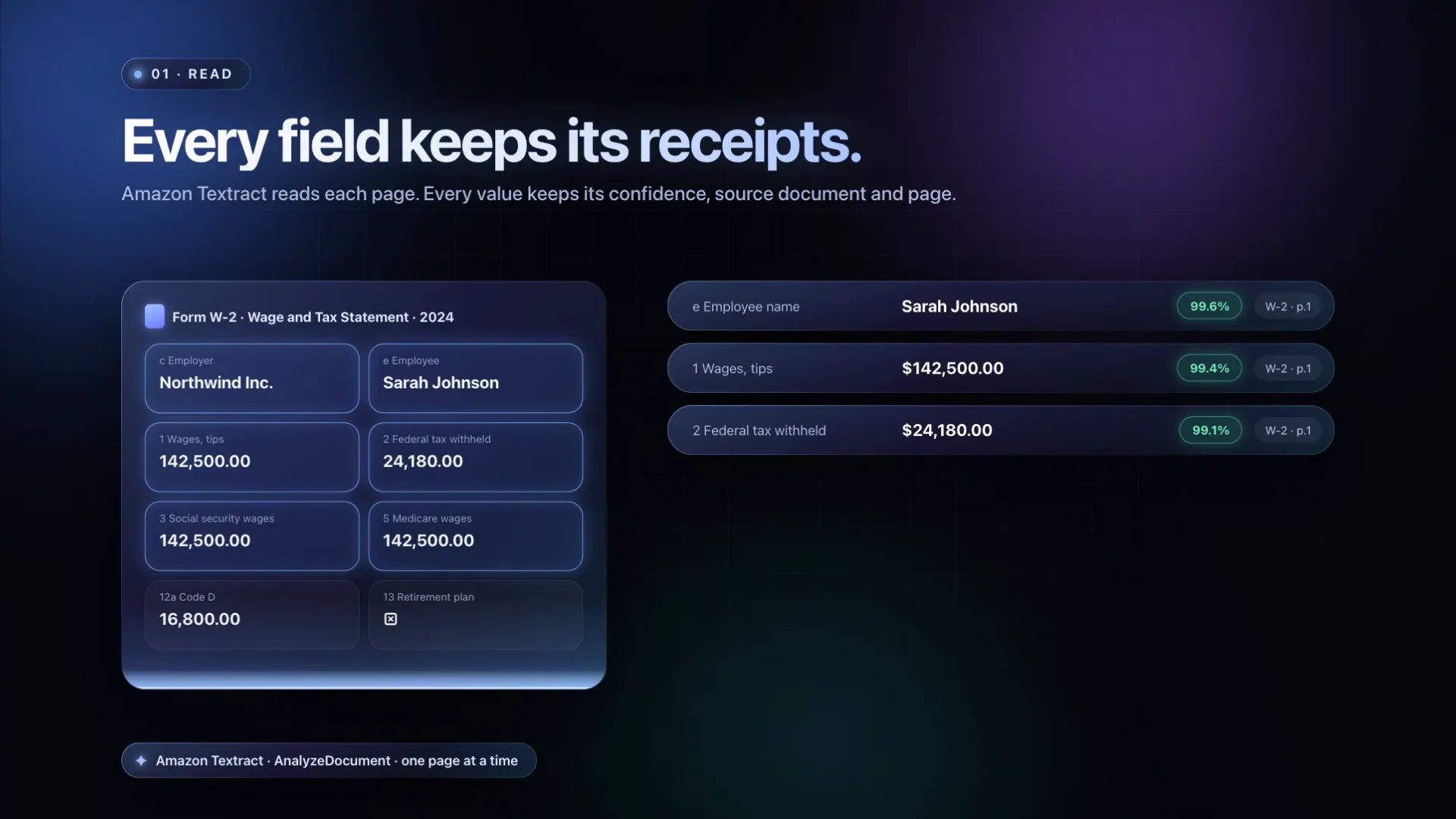
- Textract reads each document and pulls out the fields, like names, amounts and dates. For each field it says how confident it is and which page the field came from.
- Fields Textract isn’t sure about get flagged, and the advisor checks them one at a time.
- An AI model labels each document: what kind of document it is, what it’s about, and which family member it belongs to.
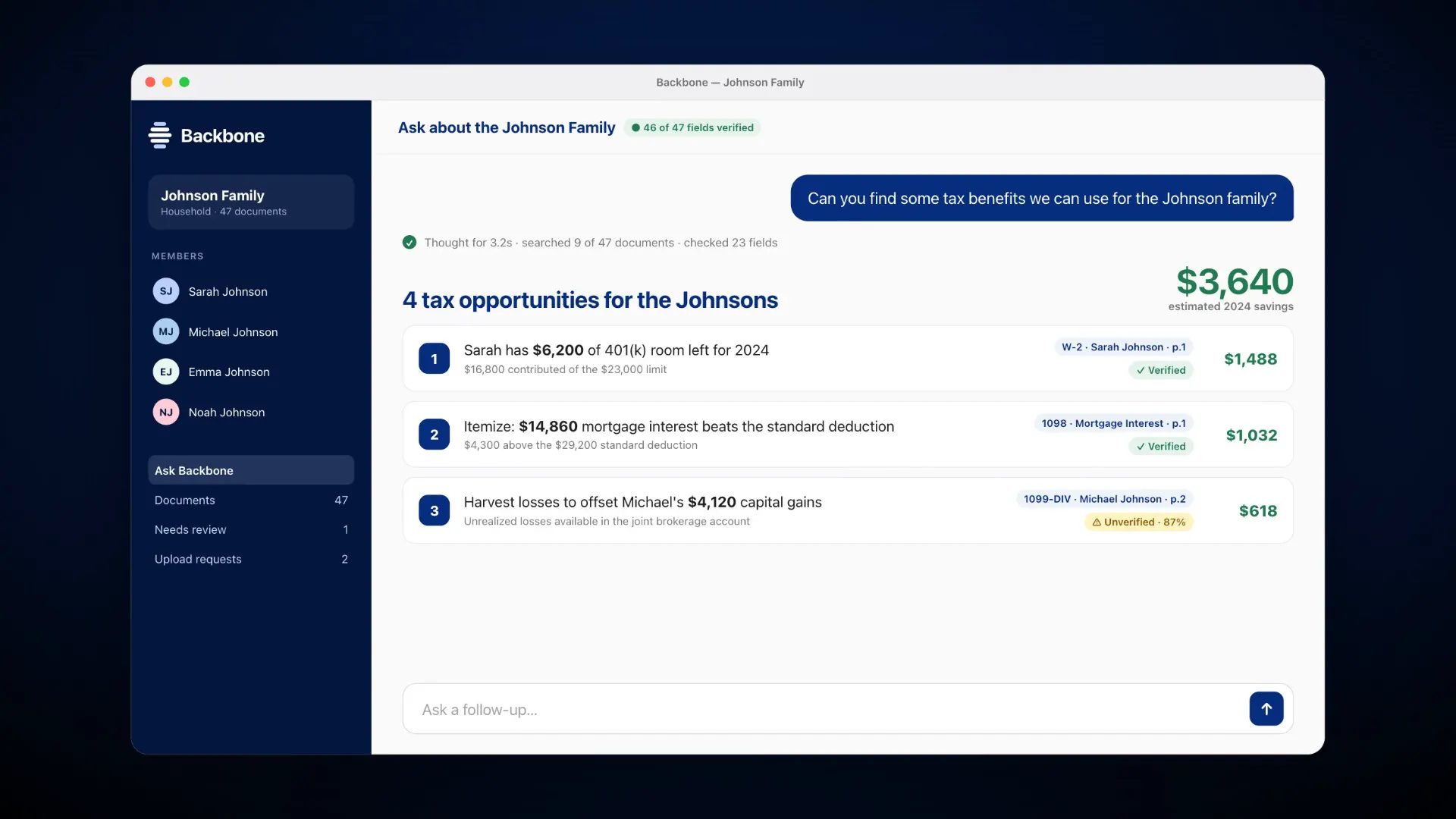
- When the advisor asks something like “What tax benefits could Mr. Johnson’s 2027 financials qualify for?”, the assistant uses those labels to pull the right W-2s, 1099s and statements before it answers.
Every field keeps track of where it came from and whether a person checked it, all the way to the answer.
What I built
The document-labeling model as its own service
A teammate wrote the labeling logic as a Python program that only ran on one machine. I turned it into a small web service our app could call, running on a GPU server on Amazon SageMaker. The list of document types was copied in 8 places in the code, so I moved it into one settings file. If labeling fails, documents still get saved. The service’s results matched the original program’s on every test case.
A database login with no stored password
The app signs into the database with short-lived credentials from Amazon instead of a password saved in a settings file.
One-time upload links
Advisors can send a client a link that expires. Files uploaded through it go to the right client, and the advisor can cancel the link at any time.
The review screen
I rebuilt the screen where advisors check flagged fields. It shows one field at a time next to the document. One button confirms the field, saves a correction, or moves on, Enter submits, and a summary at the end shows how many fields were confirmed and corrected.
The starting code
The team started from a template I had built for Adventure World, so all five of us started the day with working code.
What teammates built
Teammates built the Textract document reading and the first review screen, the labeling rules, the search that answers questions and cites its sources, and the onboarding tour and design polish.